Just three months after its general release, Apple has backtracked on its controversial ‘Liquid Glass’ iPhone design.
As part of iOS 26.2, the tech giant is letting users reduce the intensity of the translucent, glass–like effects on their iPhone’s lock screen.
Released on Friday, the new software update introduces a slider that allows you to change the appearance of the digital clock to make it more opaque.
Taking to social media, many iPhone users have been rejoicing at the change to Liquid Glass, which received mixed reviews upon its release in the autumn.
One X user said: ‘This is the first thing i did after installing iOS26.2 – tweaked the liquid glass transparency of Clock.’
Another posted: ‘Now add this everywhere so I can switch to frosted glass.’
A third said: ‘Turns out readability still matters.’
Here’s how to download Apple’s iOS 26.2 update and adjust the Liquid Glass effect on your iPhone.
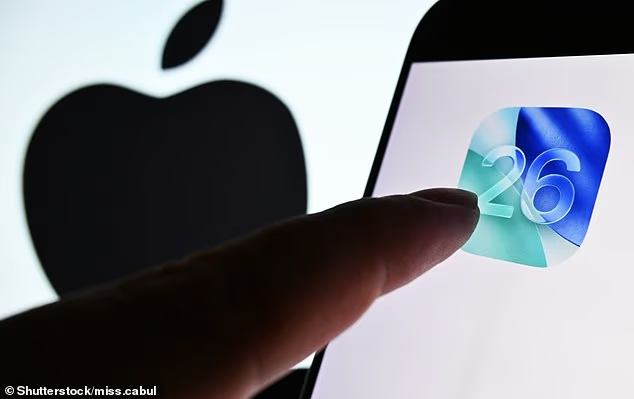
Released on Friday (December 12), iOS 26.2 brings a new Liquid Glass slider that changes the appearance of the digital clock (file photo)
Liquid Glass was introduced with iOS 26, which was announced on June 9 at the 2025 Worldwide Developers Conference (WWDC) before being released on September 15.
It replaced Apple’s standard blocky, flat icons with a dynamic theme meant to look like a ‘translucent material that reflects and refracts its surroundings’.
Icons, buttons, sliders, switches, text and media controls were rendered more transparent while distorting the background using real–time rendering.
Craig Federighi, Apple’s senior vice president of software engineering, described the Liquid Glass design as ‘gorgeous’ – but many fans were unconvinced.
Feedback was largely negative, with users dubbing the glass–like elements as ugly, difficult to use, and even causing pain to the eyes.
iPhone users complained that Liquid Glass makes app icons appear slightly slanted, making them ‘feel drunk’.
One person said on social media that Apple co–founder Steve Jobs ‘would’ve fired everyone at Apple’ for coming up with Liquid Glass.
Now, it appears Apple has taken such criticism on board with iOS 26.2 by giving users more control over how their home screen looks.

Liquid Glass replaced Apple’s standard blocky, flat icons with a dynamic theme meant to look like a ‘translucent material that reflects and refracts its surroundings’

When your iPhone screen is locked, a slider lets you change the appearance of the time, from almost completely transparent to a slightly more frosted look
With iOS 26.2, when your iPhone screen is locked, the slider lets you change the appearance of the time, from almost completely transparent to a slightly more frosted look.
Below the slider, there’s also the option to select ‘Solid’ instead of ‘Glass’ which will give you an even more opaque clock display.
If you haven’t yet noticed the slider and you’re very keen to reduce the transparency of your home screen, installing iOS 26.2 is fairly easy.
To get the latest update for your iPhone, you just need to head to your device’s Settings app.
If you have automatic downloads enabled, the update will have been installed overnight, provided your iPhone was charging and connected to Wi–Fi.
But, if that isn’t the case, you should see a notification reading ‘Software Update Available’ from the Settings homepage.
Tapping this notification will bring you to the Software Update page, where you can see any new updates as they are released.
If iOS 26.2 is available, simply select ‘Install Now’ or, if the option reads ‘Download and Install’, tap it to download the update, enter your passcode, and then tap Install Now.

Liquid Glass replaced Apple’s standard blocky, flat icons with a dynamic theme meant to look like a ‘translucent material that reflects and refracts its surroundings’
Apple releases a major software update to accompany a new iPhone in the autumn (e.g. iOS 26), but it releases incremental updates throughout the year (e.g. iOS 26.2).
Also included with iOS 26.2 are alarms for Reminders, offline lyrics for Apple Music and in–game score banners for Games.
There’s also AI–generated chapters for episodes in the Podcasts app and an extra layer of verification when using AirDrop.
The software update also includes ‘bug fixes and security updates for your iPhone’, Apple said in a brief online update.
Apple has also released updates for its other devices, including Mac, Apple Watch, Apple TV and Apple Vision Pro.